


Choose the correct type
| Type | Usage |
|---|---|
| HTTP / HTTPS | Use the type and port specified by your provider. HTTPS refers to the connection to the proxy. |
| SOCKS5 / SOCKS4 | Select the version supported by your server and its credentials. |
| SSH | The app prepares a tunnel through the configured SSH server. You need a reachable server and valid credentials. |
| Tor | Requires Tor Browser or a running local Tor service. Common ports: 9150 for Tor Browser and 9050 for the service. |
Save a manual connection
- In Proxies, create an entry with type, host, port and username and password if required.
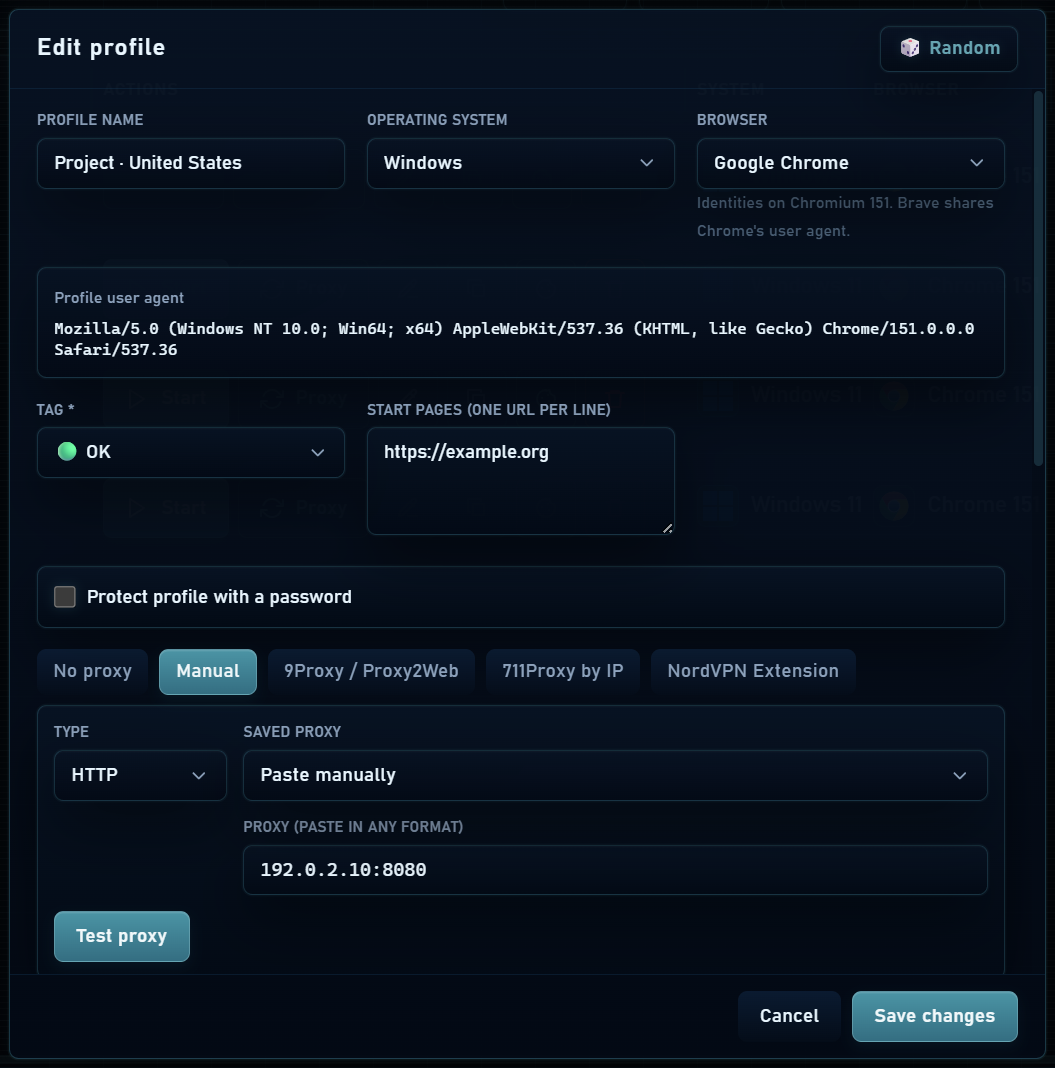
- In New profile or Edit, choose the saved connection or paste its details under manual configuration.
- Test the proxy and check exit IP, country and the connection result.
- Save and start the profile. Check the IP from that window, not from another browser on your computer.
Common paste formats
proxy.example:8080
usuario:[email protected]:8080
proxy.example:8080:usuario:clave
Choose the protocol separately when the field does not include it. Example credentials are placeholders; replace them with your provider’s values.
Status and location
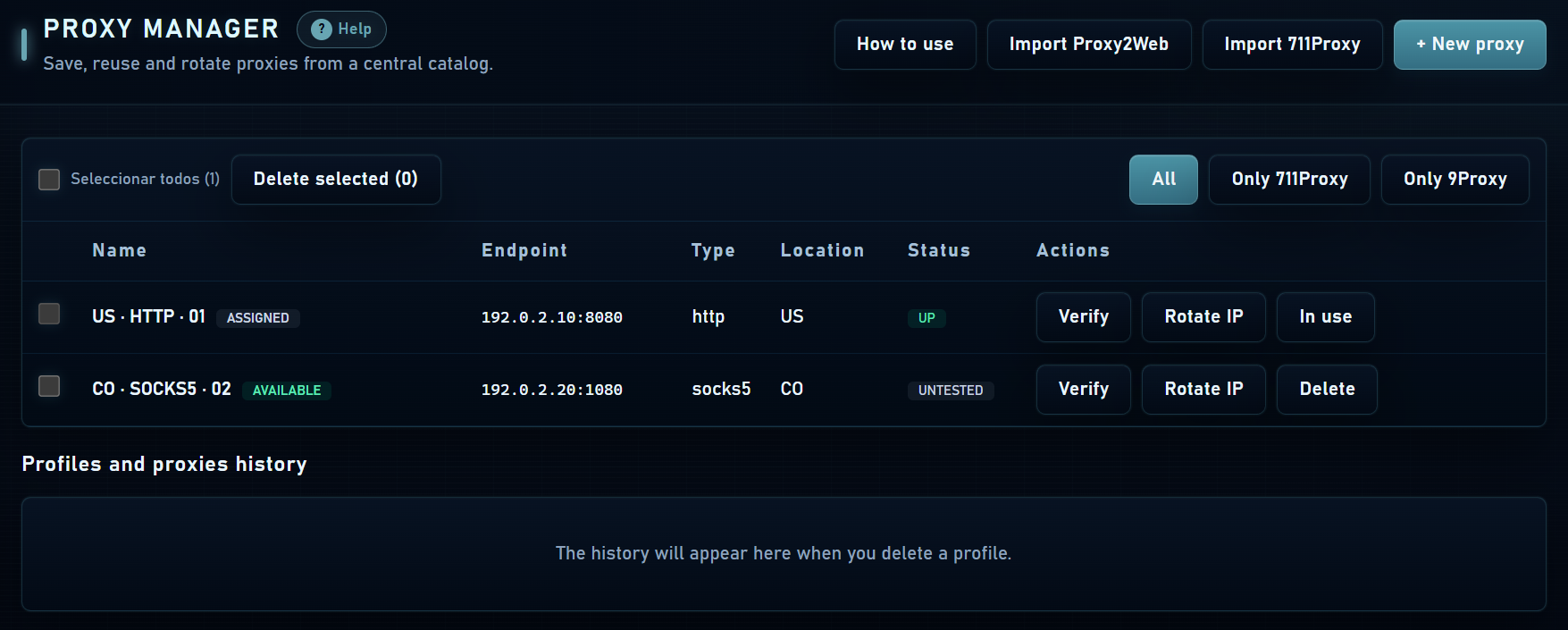
An untested connection has no verification result yet. UP means the check responded; DOWN means it failed. These are point-in-time results: a proxy can expire, exhaust traffic or change IP afterwards.
The exit country is determined by the actual IP. Writing a country in a label is not enough. Also review timezone, language and the suggestions the app prepares when testing the connection.
Rotation and connection errors
If your provider offers a rotation URL, save it in the appropriate setting. Rotation depends on the provider’s service; it may consume units or renew the session. Confirm the result by checking the IP again.
- If authentication fails, check username, password, type and the provider’s IP allowlist.
- If the tunnel fails, check that SSH or Tor is reachable before starting the profile.
- Changing an IP during a session may trigger additional website checks; keep the connection stable when you need continuity.