


Import cookies
- Open the profile’s cookies icon and load a .txt/.json file up to 5 MB, drag it into the drop area or paste the text.
- Use JSON or Netscape with the domain included. Leave the additional URL empty for these formats.
- If pasting name=value; other=value, enter the HTTPS URL of the website those cookies belong to.
- Click Import cookies and check how many were accepted or rejected.
If the profile was stopped, the app temporarily uses Chromium in the background and closes it after importing. If already running, it writes into the active session. You do not need Cookie Robot to import.
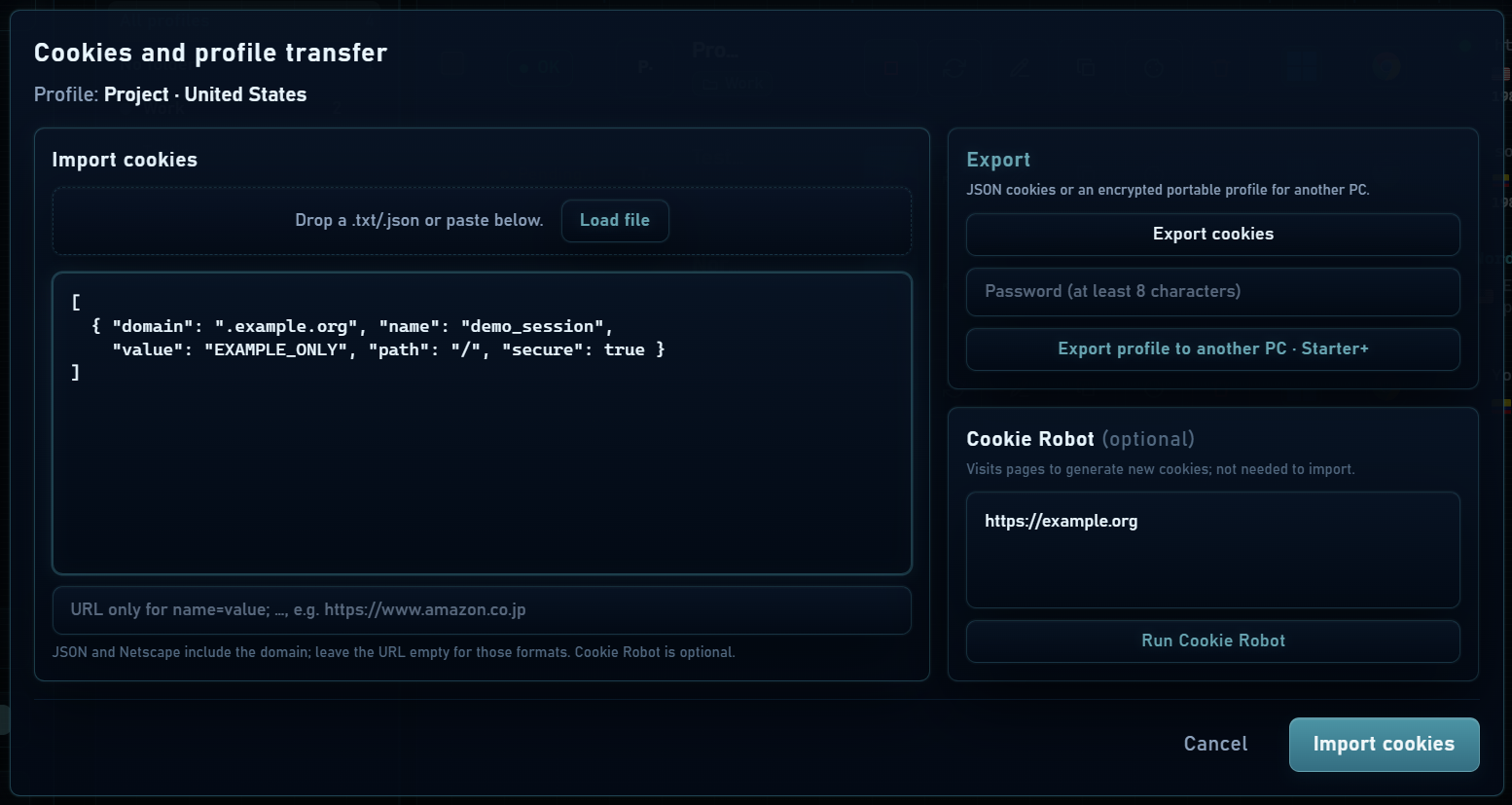
Cookie Robot
- Enter the URLs you want to visit, one per line, under Cookie Robot.
- Click Run Cookie Robot. The profile visits those pages and scrolls their content during each visit.
- Check completed visits. Cookies created by those websites remain in the profile.
The robot visits websites; it does not sign in for you, make expired cookies valid or guarantee account approval. You run it manually from this dialog.
JSON cookies and portable profile
| Option | Contents and use |
|---|---|
| Export cookies | JSON cookie file for import into another compatible session. The file contains sensitive session data. |
| Export profile to another PC | Password-encrypted .miadprofile file with at least 8 characters: configuration and cookies. Does not include the entire Chromium folder. |
| Backup .miadbak | Full profile backup under Backups, including browser folder and metadata. Its protection works differently. |
Export can start the profile to read cookies; check whether it remains running and stop it when finished. A website may require signing in again even when the file imports correctly.