


Install an extension
The centralized manager is included in Starter, Pro and Max. Use Manifest V3-compatible extensions in an unpacked folder containing manifest.json or in a suitable ZIP.
- Open Extensions and add the extension folder or file.
- Check its name, version and permissions before enabling it.
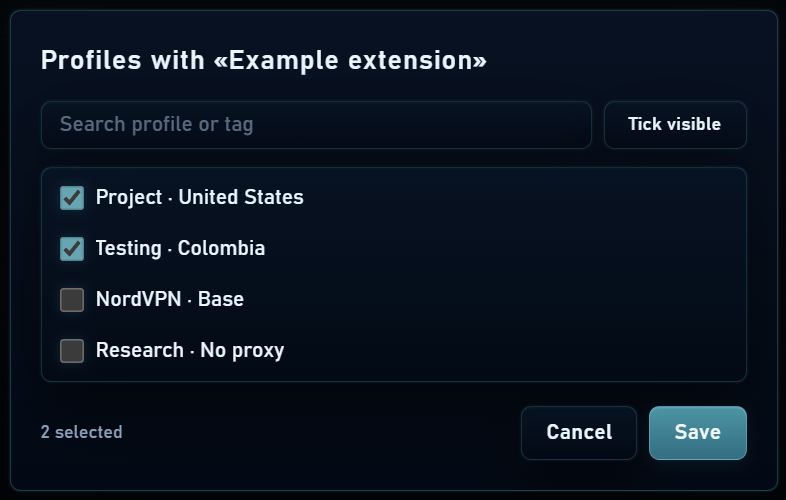
- Choose whether to apply it globally or only to selected profiles.
- Restart affected profiles to apply the change on their next launch.

Global or per profile
Global assignment lets you prepare the same extension for current and future profiles. Specific assignment is useful for tools belonging to one project. Disabling an extension in the manager changes what loads on startup; it does not automatically close existing windows.
NordVPN and internal connection tools have their own workflow in profile configuration. Follow the NordVPN guide for that integration rather than substituting an arbitrary extension with the same name.
If it does not load
- Check that manifest.json is at the root of the extension folder and that the package is compatible.
- Check that the extension is enabled and assigned to the correct profile.
- Stop and start the profile after the change; check the extensions page inside the browser.
- If a problem appears after installation, disable it and compare with a session without that extension.