


Create in bulk
Bulk creation and CSV import are available in Starter, Pro and Max. Before starting, check that the requested quantity fits your remaining quota.
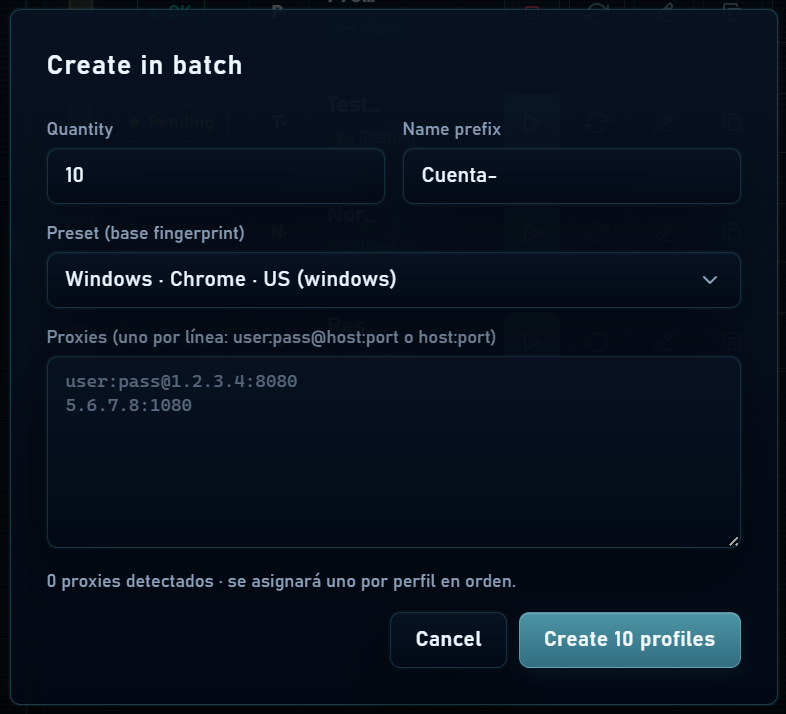
- Open Create in batch and select an available preset: it provides the base fingerprint configuration.
- Enter the quantity and name prefix.
- If using proxies, paste one per line. They are assigned in list order; check that each profile has the intended connection.
- Create the batch and check the profiles before starting them. If no presets are available, create profiles individually or contact support.
Import CSV or TXT
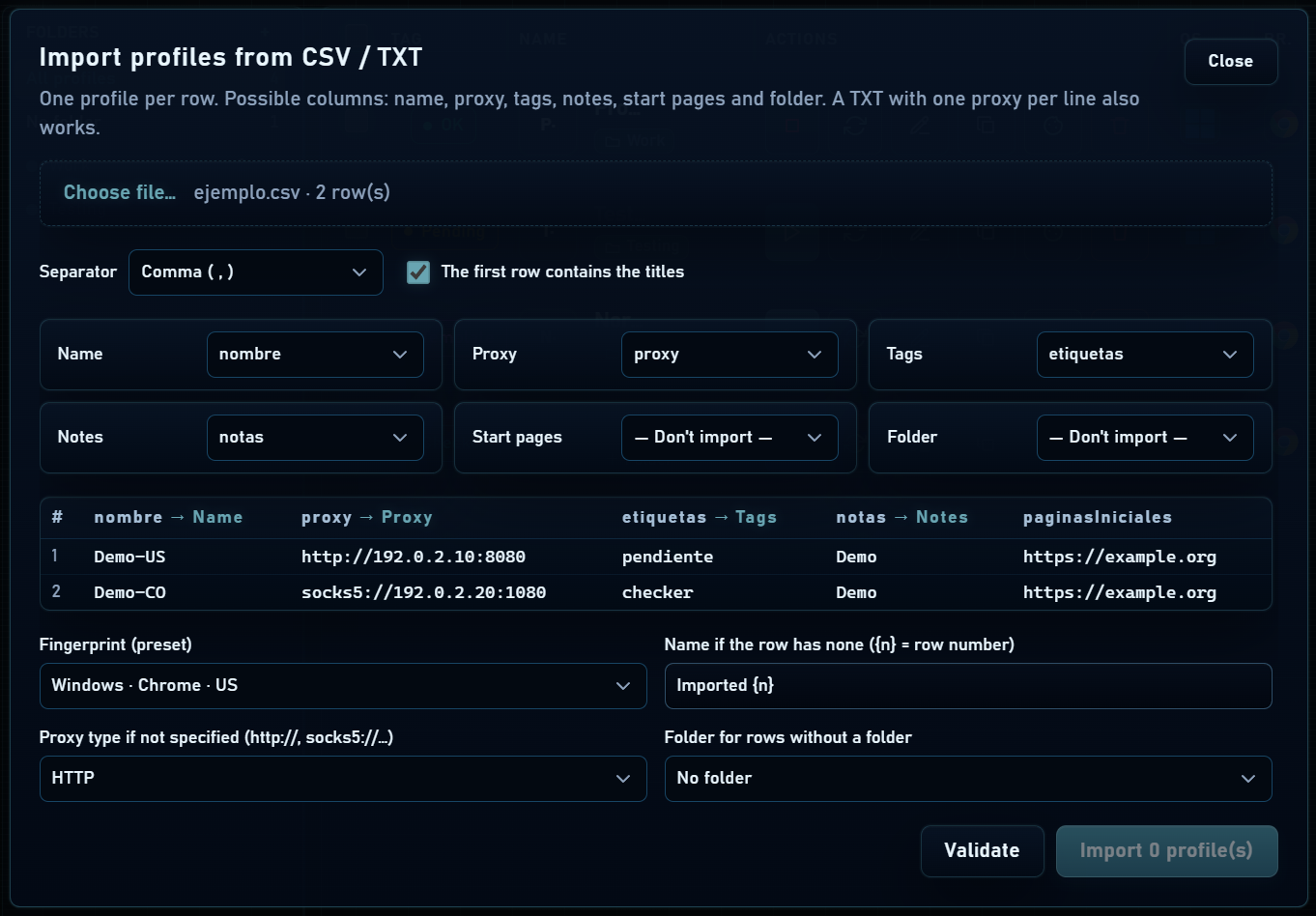
- Open Import profiles and load a file up to 5 MB or paste its contents.
- Check the separator: comma, semicolon, tab or vertical bar. Confirm whether a header row exists.
- Map columns to name, proxy, tags, notes, start pages and folder. Not every field is required.
- Review the preview and rows with errors. Import valid rows and check the result in Profiles.
Simple example
CSV with headers and one URL per profile
nombre,proxy,notas,paginas,carpeta
Proyecto-01,usuario:[email protected]:8080,Revisar panel,https://example.com,Proyecto
Proyecto-02,,Sin proxy,https://example.org,Proyecto
The example values are placeholders. You can also map English headers such as name, proxy, notes, urls and folder. If a cell contains the file’s separator, put its content in quotes. For a TXT proxy list, map its single column to Proxy.