



What they are
Proxies Mantis are residential IPs (from real homes) that you buy inside the app, in the Proxies section. You choose country, region and city; each IP is tested before delivery and lasts up to 6 hours from when you get it. They are bought separately from your plan and work on any plan, including Free.
- Each IP you get uses 1 from your balance. Unused IPs never expire.
- Attempts without an IP do not use balance.
- If an IP stops responding early, it is returned to your balance when checked (up to 10 % of the package).
- The app never shows the proxy username or password: only the IP, so nobody can reuse your balance.
Buy a package
- Go to Proxies → Buy packages.
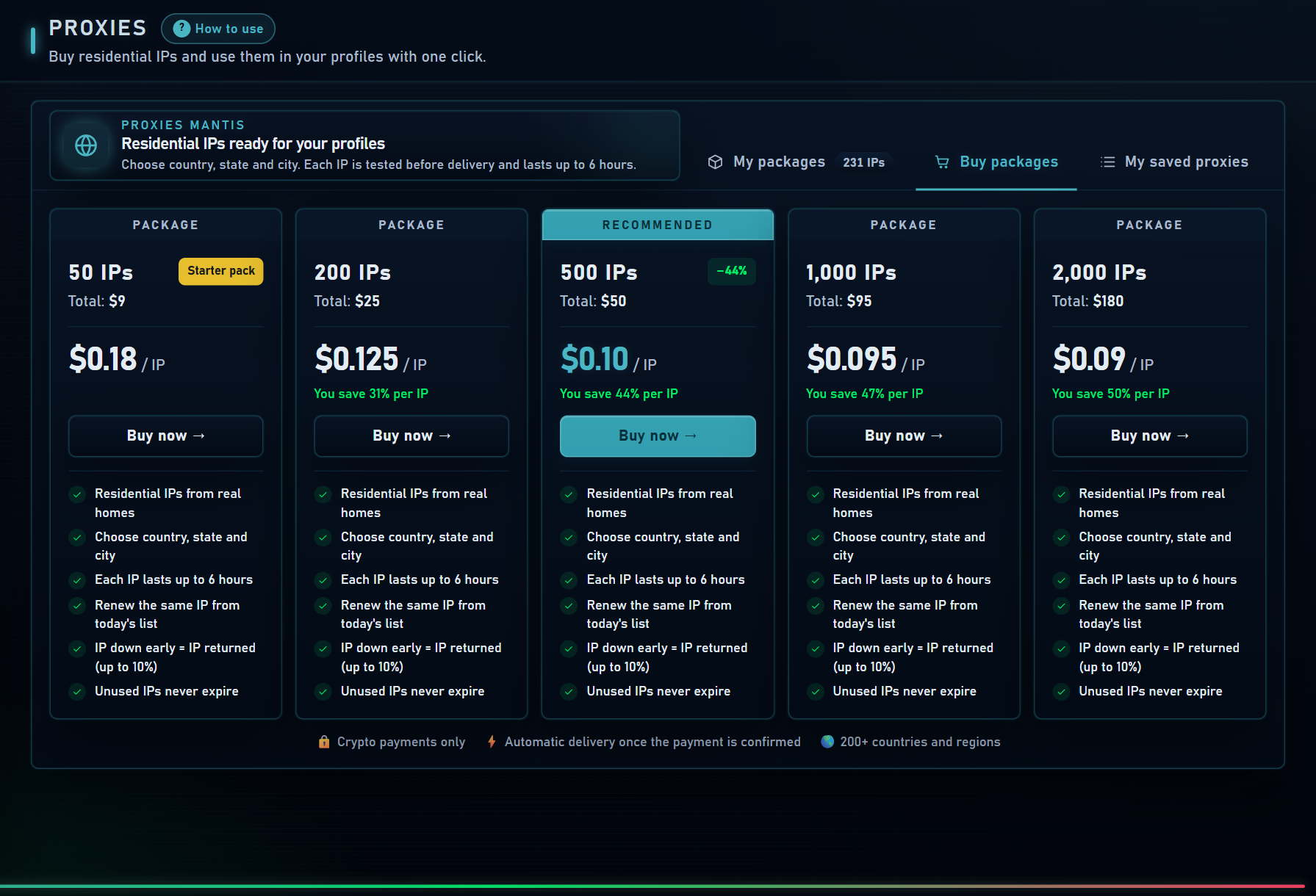
- Choose a package and click Buy now →. The bigger it is, the lower the price per IP.
- Click Generate payment address, choose the cryptocurrency and send the amount shown in the order. Payment is cryptocurrency only.
- When the network confirms the payment, the IPs appear in your balance automatically. Click Go to my IPs.
| Package | Price | Per IP |
|---|---|---|
| 50 IPs | USD 9 | USD 0.18 |
| 200 IPs | USD 25 | USD 0.125 |
| 500 IPs | USD 50 | USD 0.10 |
| 1000 IPs | USD 95 | USD 0.095 |
| 2000 IPs | USD 180 | USD 0.09 |
Prices as of October 2026; current prices are the ones shown in the app. A package may show “Sold out for now” while we restock.
Get IPs
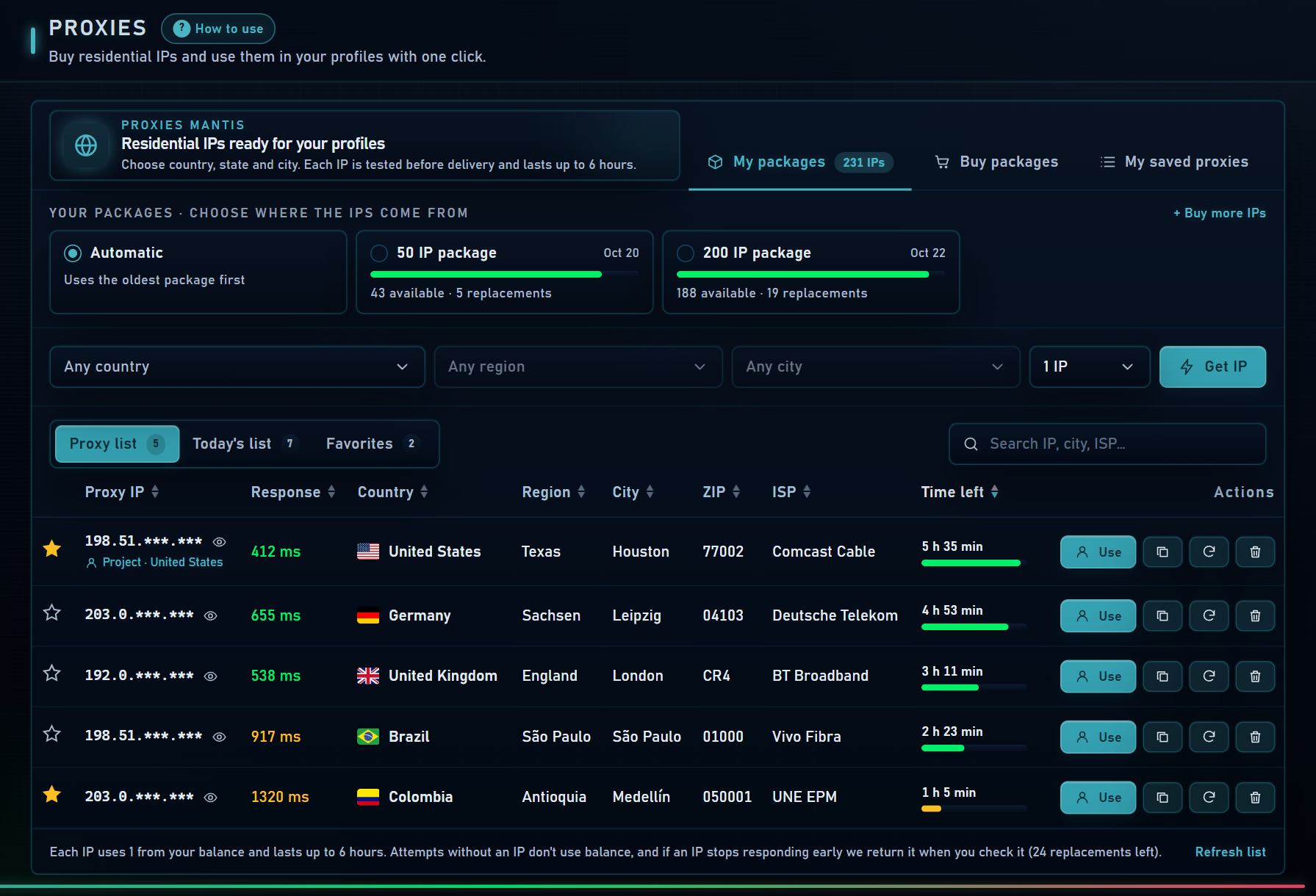
- In My packages, choose which package the IPs come from. Automatic uses the oldest one first.
- Choose country, region and city (or “Any…”) and the number of IPs.
- Click Get IP. Each IP is tested before delivery and appears in the list with its response time, location, ZIP, ISP and time left.
Your IP lists
| List or action | What it is for |
|---|---|
| Proxy list | Your current IPs. |
| Today’s list | IPs from the last 24 hours, expired ones too, so you can renew them. |
| Favorites | IPs you starred. |
| Use | Checks the IP and assigns it to a profile. If it is down, it is not assigned and is returned to you. |
| Copy IP and Test | Copies only the IP address and checks whether it still responds. |
| Renew | When an IP reaches its 6 hours, renewing it uses another IP; if the residential device is still online, you keep the same address. |
| Remove | Removes it from your lists. It does not refund balance; if a profile uses it, it keeps working until it expires. |
Use an IP in a profile
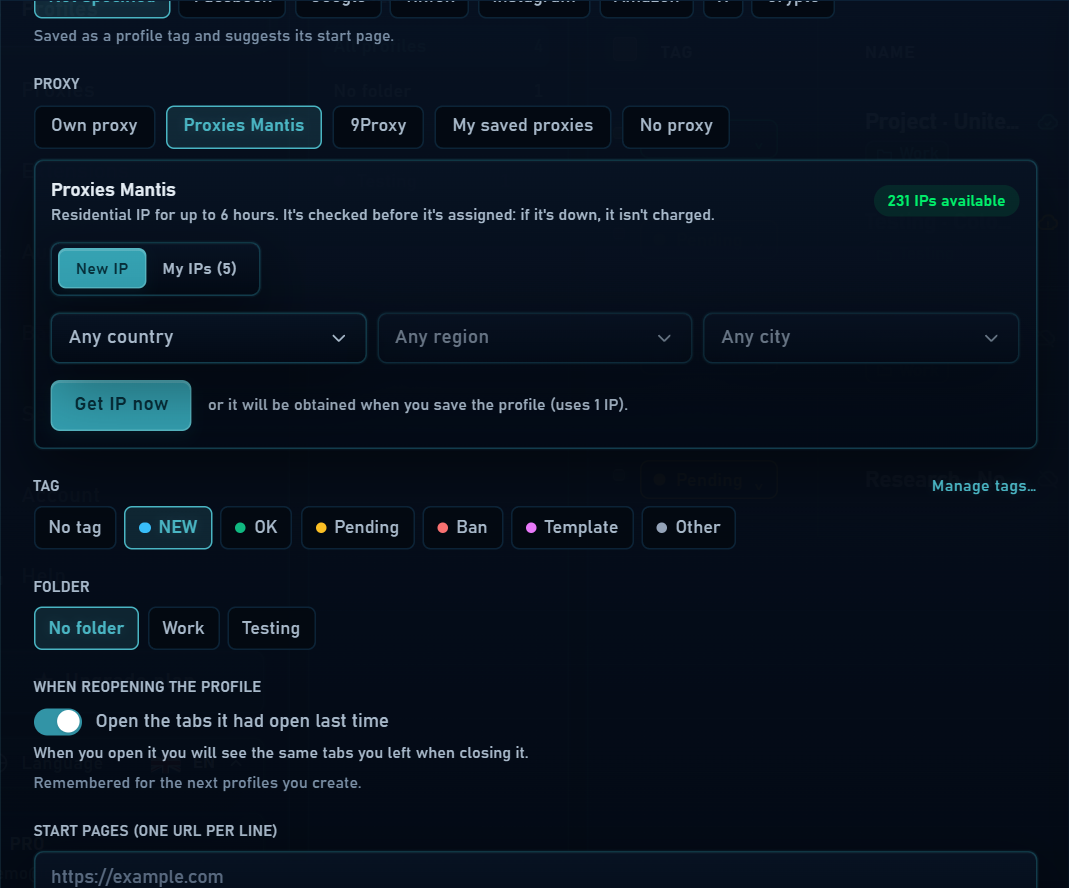
- In New profile (or when editing), under Proxy, choose Proxies Mantis.
- New IP: choose country, region and city. Click Get IP now or let it be obtained when you save the profile (uses 1 IP).
- My IPs: choose one you already have.
- Save. The profile’s timezone, language and geolocation adjust to the IP.
To change a profile’s IP later, use its row’s proxy button: with Proxies Mantis it suggests a new IP in the same country and region as the current one.