


What a fingerprint is
Besides cookies and IP, websites can inspect browser information such as system, screen, graphics, language and hardware capabilities. Mantis configures those signals per profile through its engine. Cookies and fingerprints are different parts of a session.
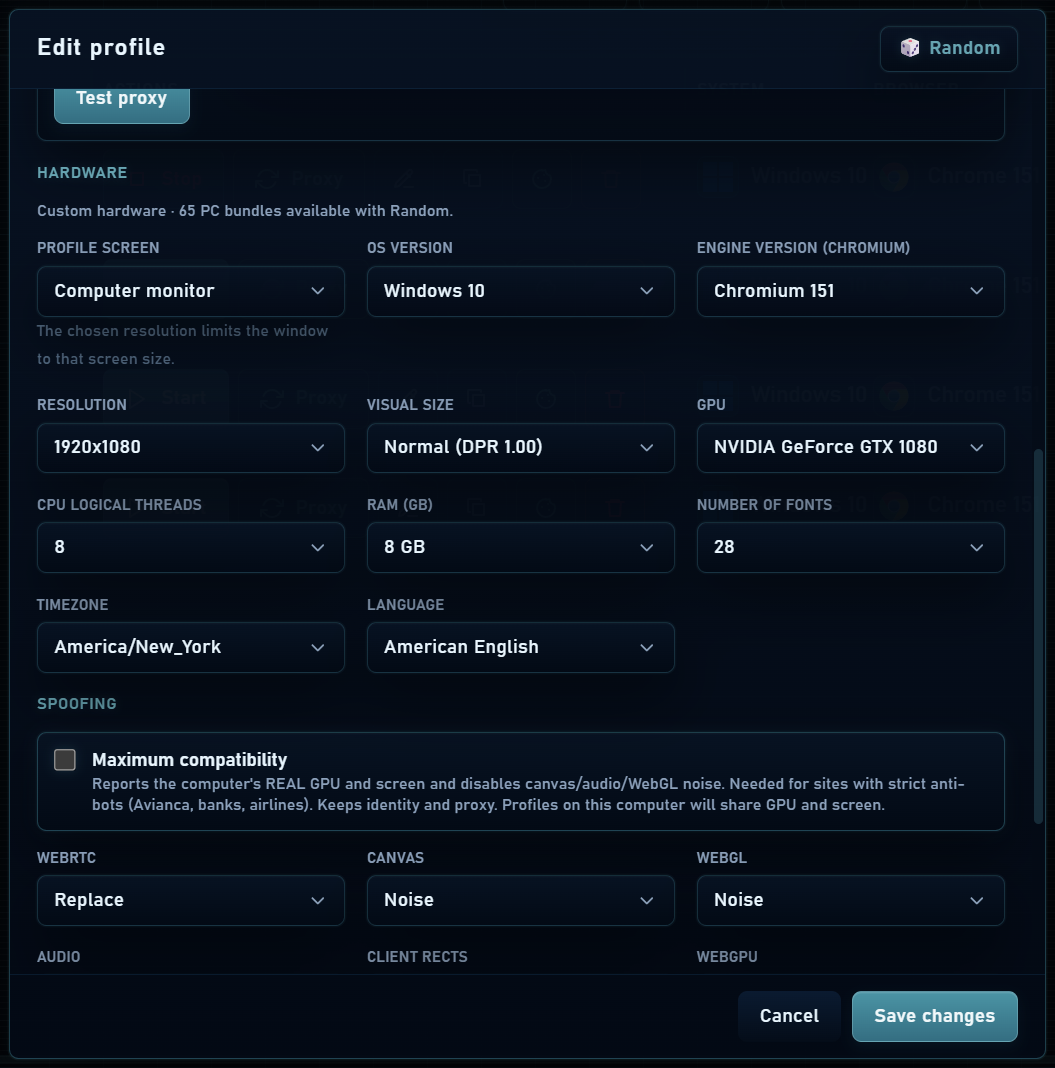
Start with a consistent combination of hardware, system and browser. Random prepares compatible hardware options; then keep that identity for the profile’s regular work.
System, screen and graphics
| Field | What it represents |
|---|---|
| System and version | Windows, macOS or Linux identity presented to websites. |
| CPU and memory | Reported logical processors and RAM; it does not increase available physical resources. |
| Screen, resolution and scale | Profile screen dimensions and scale. Real mode uses the computer’s monitor. |
| WebGL: vendor and renderer | GPU identity reported to websites, using real or manual mode. |
| Fonts | Profile font set, automatic or customized. |
Canvas, WebGL and other signals
| Setting | How to interpret it |
|---|---|
| Canvas / WebGL | Real keeps the signal; noise modifies it; off limits the feature and may affect sites that need it. |
| Audio / ClientRects | Control audio and content geometry signals, with real or noise options. |
| WebGPU | Can use real values, a simulated identity or be disabled, depending on configuration. |
| Media devices | Present real devices or a simulated list. They do not create a physical camera or microphone. |
| Maximum compatibility | Prioritizes compatibility using real hardware signals; review this change if you want to preserve a customized identity. |
IP, WebRTC, language and location
- WebRTC manages connection signals used by calls and other web applications. Real, replace, off, no UDP and manual provide different behavior; blocking it may affect calls.
- Timezones use names such as America/Bogota or Europe/Madrid. Language affects browser and website language preferences.
- Geolocation can be adjusted automatically or with manual coordinates. A coordinate does not change your IP and a website may require location permission.
- When testing a proxy, check its IP and location and the timezone and language adjustments proposed by the app.
Browser preferences
Profile options let you adjust tab restoration, history, password saving, memory, images, pop-ups, graphics acceleration and QUIC. Each setting affects compatibility or resource use; change one at a time when troubleshooting.